Agentic Development Environment
tlbx.ai
Your ADE.
In any browser.
Run Codex, Claude Code and other agents on your own machines. Give them tasks, follow their progress, review changes and try the running app — all in one workspace.
Free and open source · Windows, macOS & Linux · Runs on your machines
Work with your agents
From the first prompt
to a working result.
Your ADE keeps the whole task in view. Start an agent, give it context and answer questions as it works. Then inspect the Git diff and open the app beside the conversation. Keep your usual editor for hands-on changes; tlbx brings the sessions, tools and results together.
Explore the ADE workflow →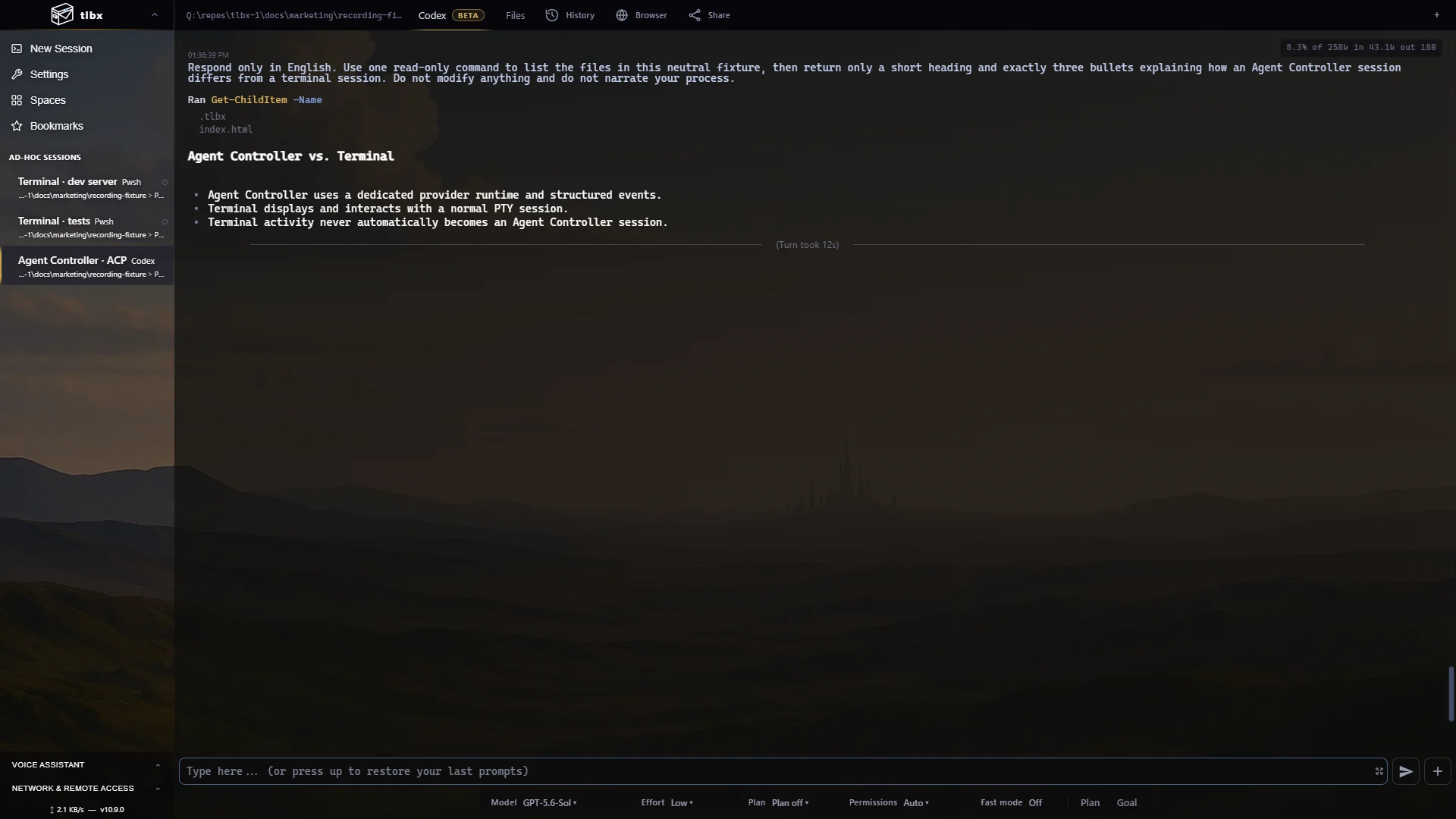
Two session types · one workspace
Choose how you work with each tool.
Terminal SessionYour usual shell, editor, coding agent or dev server.
Agent Controller SessionA conversation view with tool calls, code changes and approval buttons for supported agents.
Check what your agent built
Your app beside your agent.
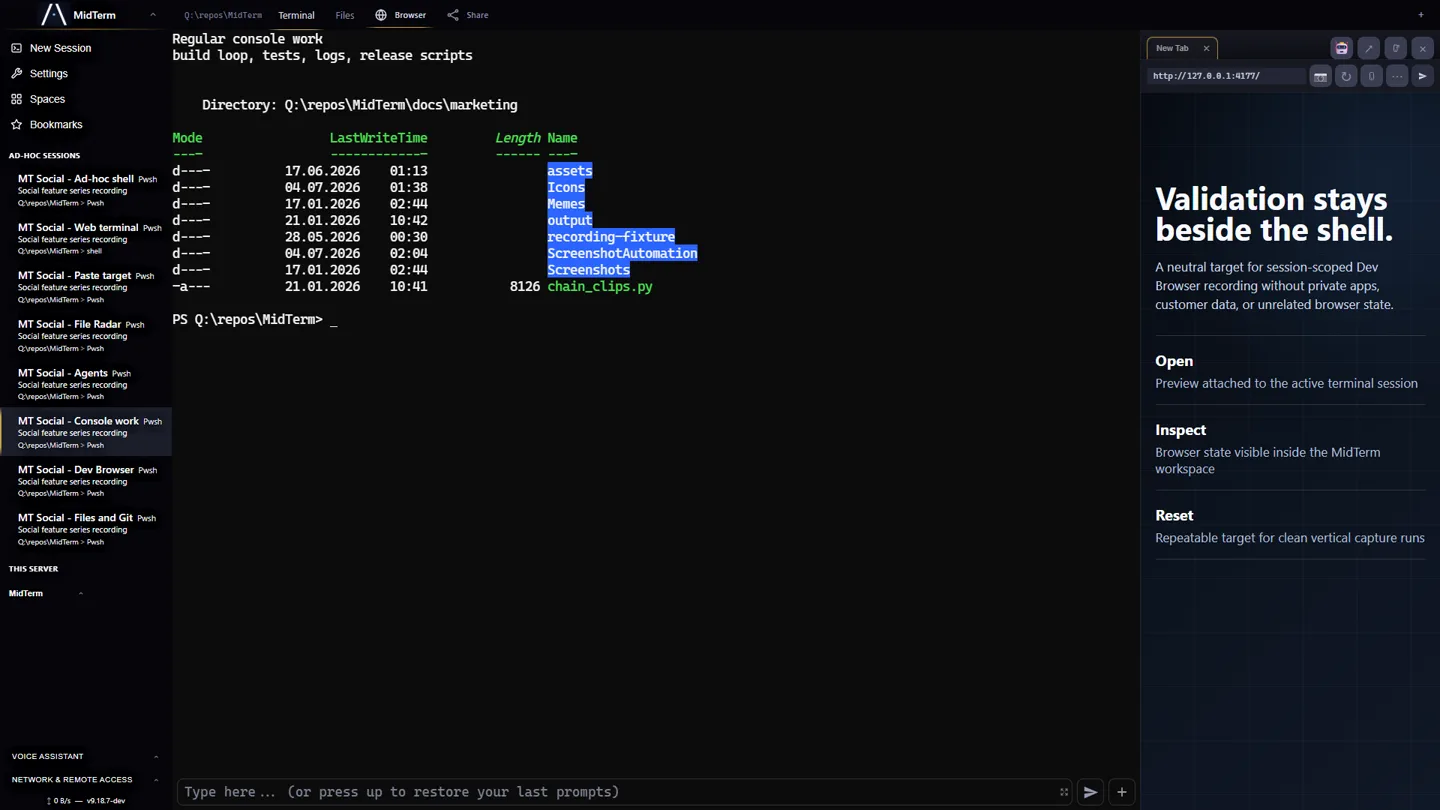
Open your running app beside the terminal. Review files and Git changes, inspect browser errors, or paste a screenshot into your next prompt. Agents can also use tlbx commands to check the page themselves.
How it fits together →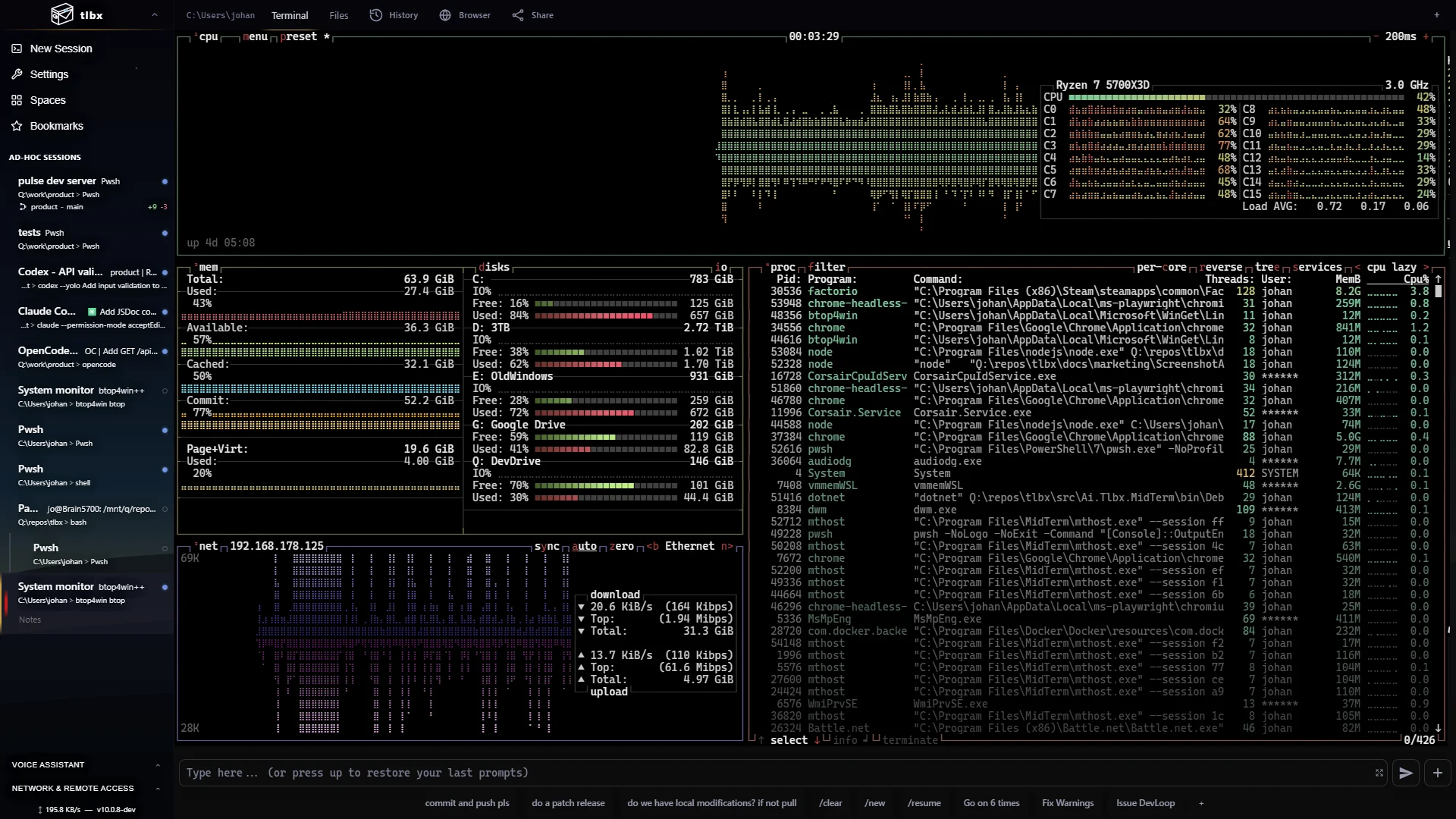
Everyday terminal work
Any shell. Any terminal app.
Use PowerShell, bash or zsh with tools such as vim, btop, lazygit and database shells. Split sessions into panes to watch a build, edit files and run commands side by side.
See the terminal features →tlbx Link · lnk.tlbx.ai
Your workspace, wherever you are.
Open lnk.tlbx.ai to reach your own tlbx machines from a desktop, tablet or phone. Link connects your browser to the real workspace over encrypted WebRTC, directly when possible and through a relay when needed. No inbound port forwarding is required on your host.
Set up access locally in tlbx’s current dev channel, then import the access file once per trusted browser. Private access keys stay in that browser profile. Your agents keep running on the host while it stays awake and online.
Set up tlbx Link →On your own machine
Your processes run on your machines.
Install tlbx where your repositories and tools already live. Connect with tlbx Link, your LAN or a private VPN such as Tailscale. Your agents use their configured model providers and those providers’ usual charges and data policies apply.
Security & release integrity →